
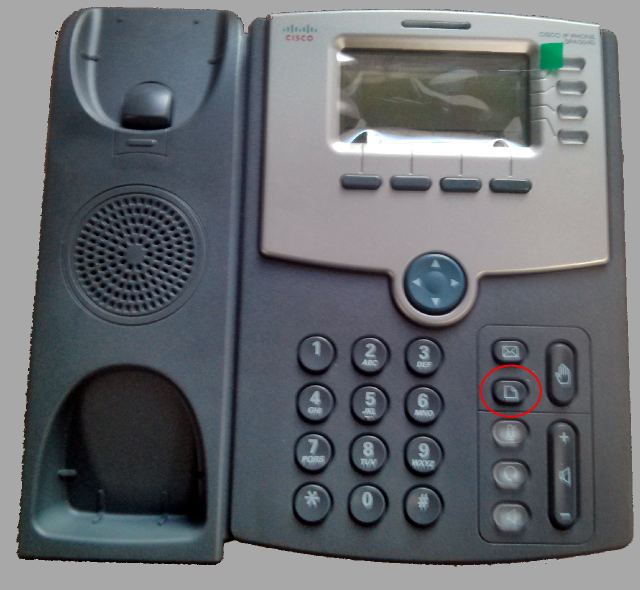
To get the firmware version of a 504G, press the menu button, circled in red in the following photo:
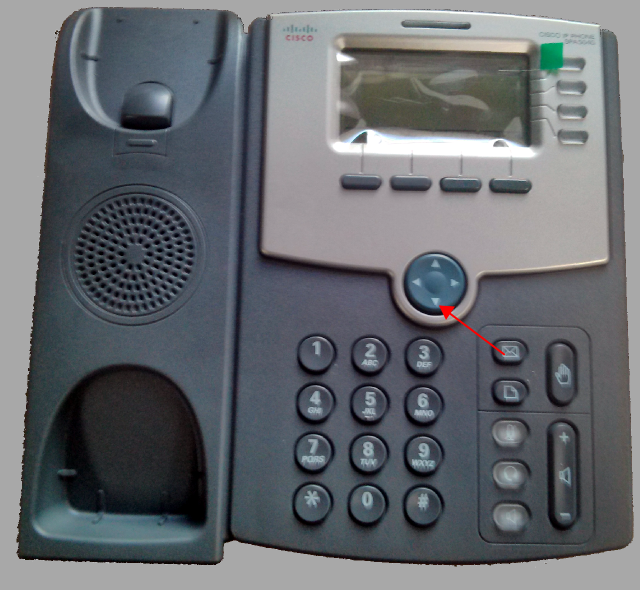
Next use the down arrow to get to option "10 - Product Info"
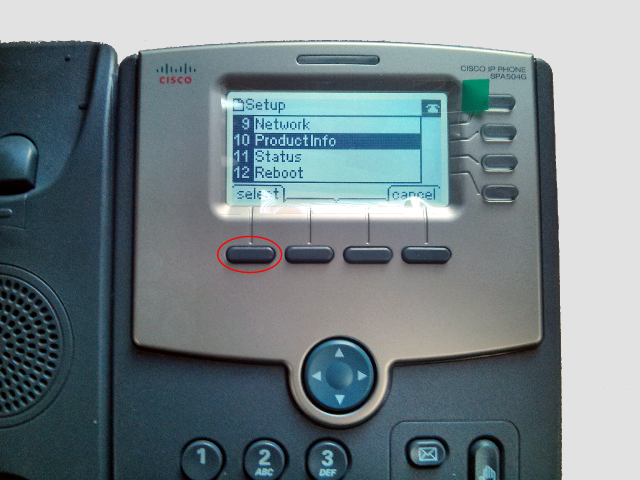
Next use the leftmost soft key to select the submenu:
Next use the down arrow again to get to option 3 and write down the software version of the phone.

Comments